

 Diablo 2: Resurrected
 Diablo 4
 Path Of Exile 2
 Animal Crossing
 Path Of Exile
  ARC Raiders
 WoW WotLK Classic
  FC 25
FC 25  Last Epoch
  Runescape
  WOW Classic SOD
  StarRupture
  Elden Ring
 ACNH 3.0 Slumber Island Explained
category:Animal Crossing
Jan-17-2026 Source: MMOSO
With the arrival of the 3.0 update for Animal Crossing: New Horizons, alongside the vacation resort and LEGO-themed furniture, a dream feature that allows you to fully unleash your creativity and build with friends in real-time has quietly arrived — Slumber Island.
More than a simple dream visit, Slumber Island is a risk-free sandbox where you can freely terraform, decorate, and experiment — alone or together with friends in real time — without affecting your main island in any way. If you have ever hesitated to redesign your island out of fear of ruining months of progress, Slumber Island is the solution you've been waiting for.
This guide explains exactly what Slumber Island is, how to unlock it, what you can and cannot do there, and how to make the most of its multiplayer creative features in ACNH 3.0.
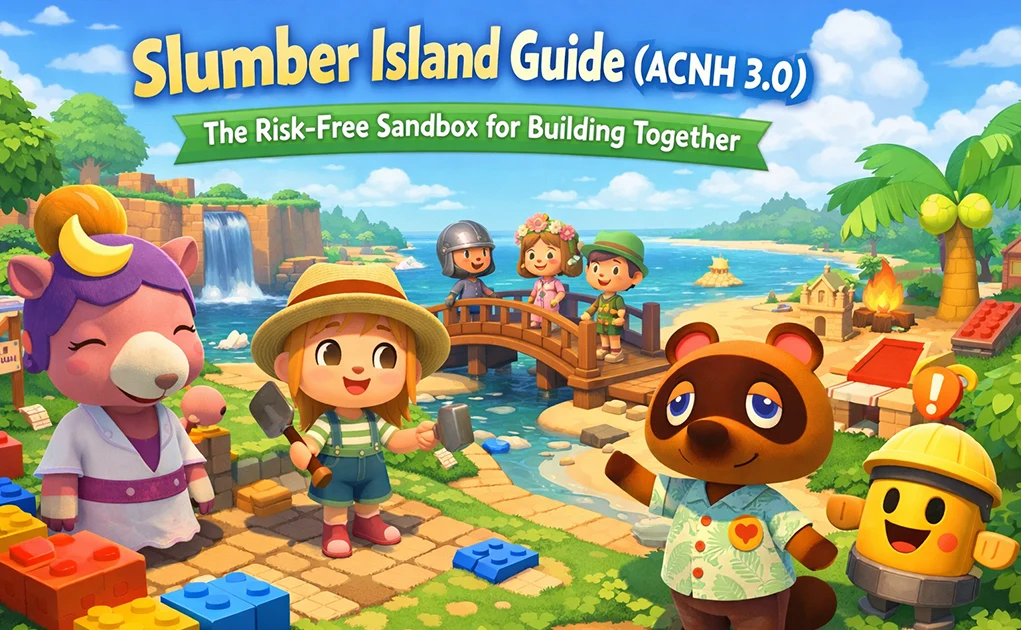
What Is Slumber Island?
Slumber Island is a brand-new dream-based creative space managed by Luna. Unlike the traditional Dream Address system, which only allows solo visits to other players' islands, Slumber Island is designed for active creation and real-time multiplayer collaboration.
You can create up to three separate Slumber Islands, each completely independent from your main island. Any changes you make — terraforming, decorating, building bridges, or even experimenting with custom designs — will never carry over to your main save file.
Think of Slumber Island as a blank canvas where creativity has no consequences.
How to Unlock Slumber Island
Unlocking Slumber Island is simple, but a few requirements must be met:
- Your game must be updated to version 3.0
- You need an active Nintendo Switch Online membership
- On your main island, you must own at least one upgraded house (not a tent)
- You must have visited Luna at least once before
Once these conditions are fulfilled, Luna will send you a letter the following day. From there, lie down on any bed in your home, choose the blue "Go to Sleep" option, and speak with Luna to begin creating your first Slumber Island.
Choosing Your Island Size: Picking the Right Canvas
When creating a Slumber Island, Luna will ask you to select an island size. This decision defines the scope of your creative project, so it's worth choosing carefully.
Small Island – Ideal for Focused Experiments
A Small island is roughly the size of a Kapp'n mystery island. It's quick to build and easy to complete, making it perfect for testing specific ideas such as themed gardens, compact builds, maze layouts, or multiplayer mini-games. The limited space encourages detail-oriented design without feeling overwhelming.
Medium Island – Balanced and Flexible
The Medium island offers more room than a mystery island but remains smaller than your main island. This size strikes a comfortable balance, allowing you to experiment with broader layouts, multiple themed zones, or alternative island concepts you may not want to risk on your primary save.
Large Island – Full-Scale Creative Freedom
The Large island matches the size of a standard main island, making it the ultimate sandbox for ambitious creators. It's ideal for long-term projects, large-scale recreations, or collaborative builds involving multiple players working together toward a shared vision.
You can start small and gradually move up in size as your confidence and ideas grow.
What You Can Do on Slumber Island
Upon arrival, you'll spawn at a special dock plaza with Luna, her assistant Lloid, and your bed. From here, the island becomes a powerful creative playground.
Unlimited Decorating and Terraforming
Open the catalog with the right D-pad button to place any furniture, clothing, plants, trees, or flowers registered in your catalog — with no quantity limits. Trees can be picked up and moved instantly, and terraforming tools are available at all times through the Island Designer app.
Real-Time Multiplayer Building
Slumber Island supports live multiplayer creation, allowing friends to decorate and terraform together while seeing each other's changes instantly. The island host can invite up to 7 players on Switch or 11 players on Switch 2 using a generated Doze Code.
Time and Weather Control
By pressing the left D-pad, the host can instantly adjust the time of day and weather conditions. Whether you want a rainy evening, snowy night, or golden-hour sunset, the environment can be changed at any moment for building or photography.
Free Infrastructure Changes
Talk to Lloid to instantly build bridges and inclines you've already unlocked — completely free. You can also move or change your house's exterior without cost or waiting time.
Villagers and Mini-Games
You can invite up to 10 villagers who currently live or previously lived on your main island. While they won't engage in dialogue, they will wander the island and add life to your builds. Lloid also provides gold nuggets and pitfall seeds, making it easy to host treasure hunts or playful multiplayer games.
Important Limitations to Keep in Mind
While Slumber Island is extremely flexible, it does have clear boundaries:
1. Seasons cannot be changed and will always match your main island's current season
2. Items cannot be taken home — fish, bugs, fruit, snowflakes, and other resources do not enter your inventory or Critterpedia
3. No functional buildings such as shops or museums will appear; only your house exists
4. Custom designs are isolated — each Slumber Island has its own 100 design slots, which cannot be transferred and are permanently deleted if the island is removed
These limitations reinforce Slumber Island's role as a pure creative sandbox rather than a progression system.
Host vs. Visitor Permissions Explained
Understanding multiplayer permissions ensures smoother collaboration.
What Everyone Can Do
All players on the island can decorate, terraform, access the host's catalog items, and obtain pitfall seeds or gold nuggets from Lloid. Visitors use the host's registered catalog, not their own.
Host-Only Controls
Only the host can change time and weather, build or move bridges and inclines, adjust house exteriors, invite new players, or end a session. Visitors focus entirely on creation, while the host manages the environment and session flow.
Final Thoughts
Slumber Island isn't about replacing your main island. It's about giving you a safe place to try ideas, make mistakes, and build freely — alone or with friends.
If you haven't tried it yet, jump in and experiment. Your main island will still be there, unchanged.
Recommended news
-
ACNH Treasure Islands 2026: Where to Find Active Dodo Codes
Sep-08-2026 -
How to remove villagers in Happy Home Paradise
Nov-11-2021 -
Amazon will take remedial measures to copy the New World Coins vulnerability
Nov-09-2021 -
Madden 22 Credits and Madden 22 Coins
Nov-08-2021 -
MUT 22 will join Super Champion Troy Polamalu, Plaxico Burress
Nov-05-2021 -
What are the yellow birds and white owls on the bulletin board?
Nov-02-2021


Thank you for using this website through social login. In order to better use the functions of mmoso, please add your email address first. If you have questions, please consult our customer service.


